How Do I Verify My Domain?
Posted on 2024-02-29 Updated on 2024-03-04To verify a domain, it must be added to ForceMailer. Follow the steps below:
1. Sign in to the ForceMailer Dashboard (if you haven't already done so).
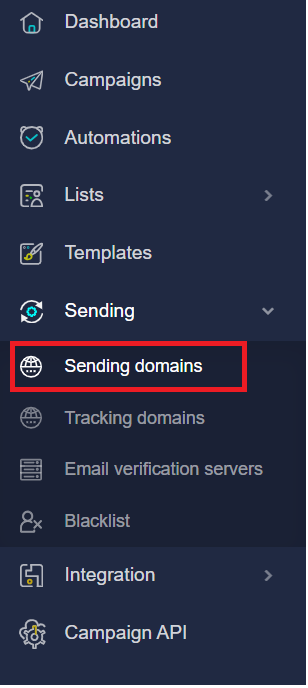
2. In the left-hand navigation dashboard
3. Select the Sending Domains.
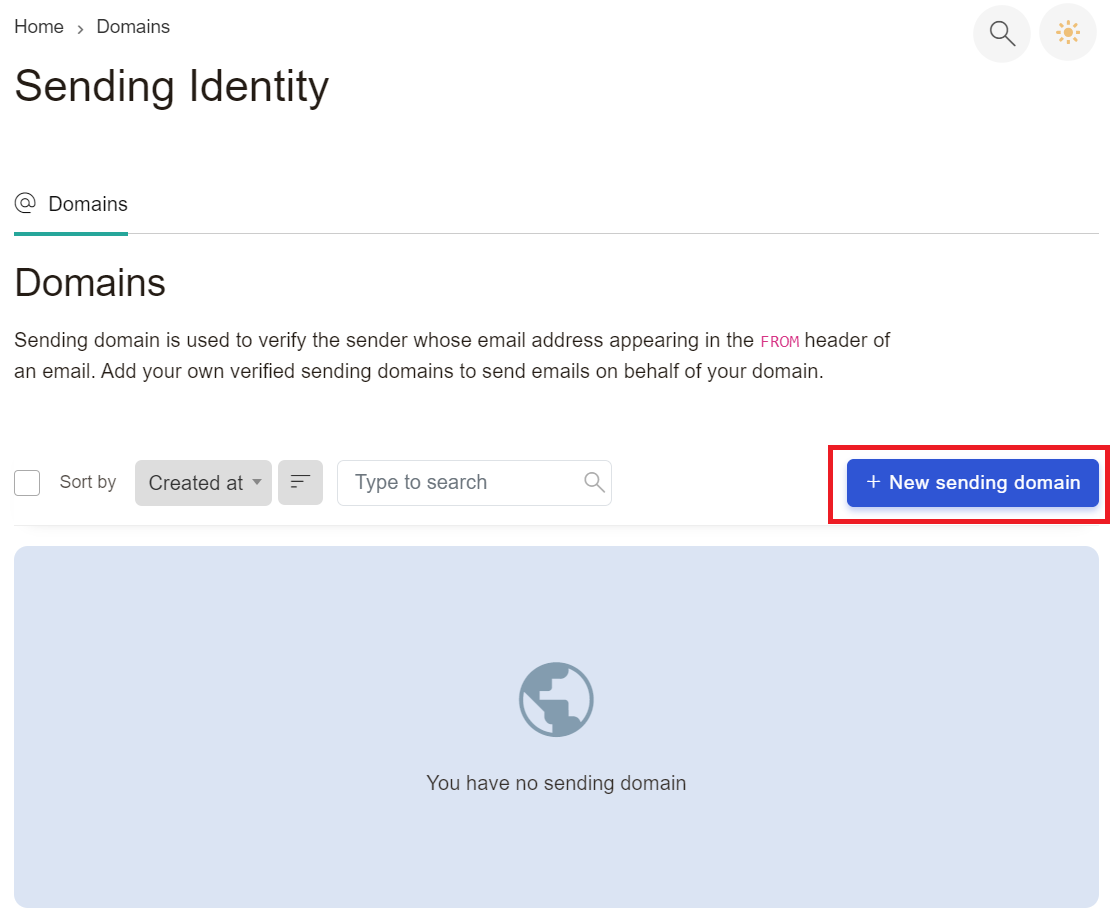
4. To add a domain, click the Add New Sending Domain button.
5. Fill in the required information (Domain name) and click the Save button.
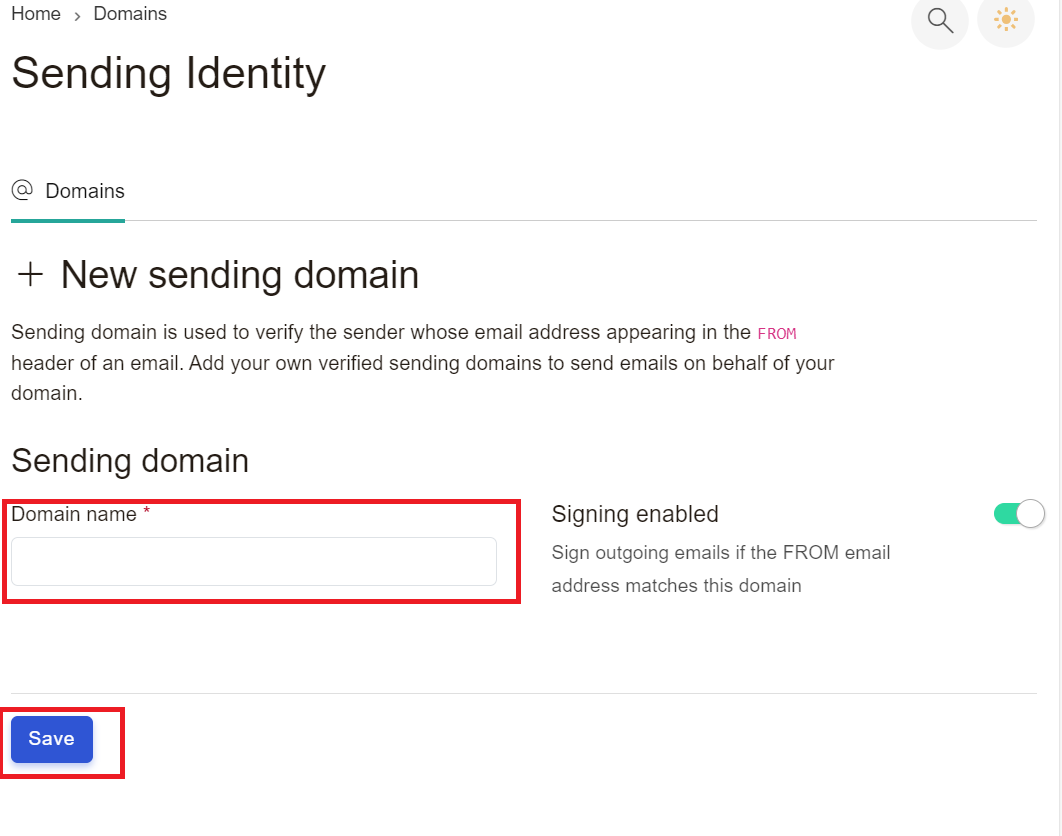
When it comes to selecting a domain, you can use a subdomain or your domain name, that is generally acceptable as well.
The subsequent page you will be directed to will prompt you to include DNS records to your domain.
6. Add DNS Records to Hosting Provider
Afterwards, you will be prompted to specify the type of DNS records you wish to include. We will discuss each record separately below, providing you with a comprehensive understanding of how to incorporate them into your DNS hosting provider.
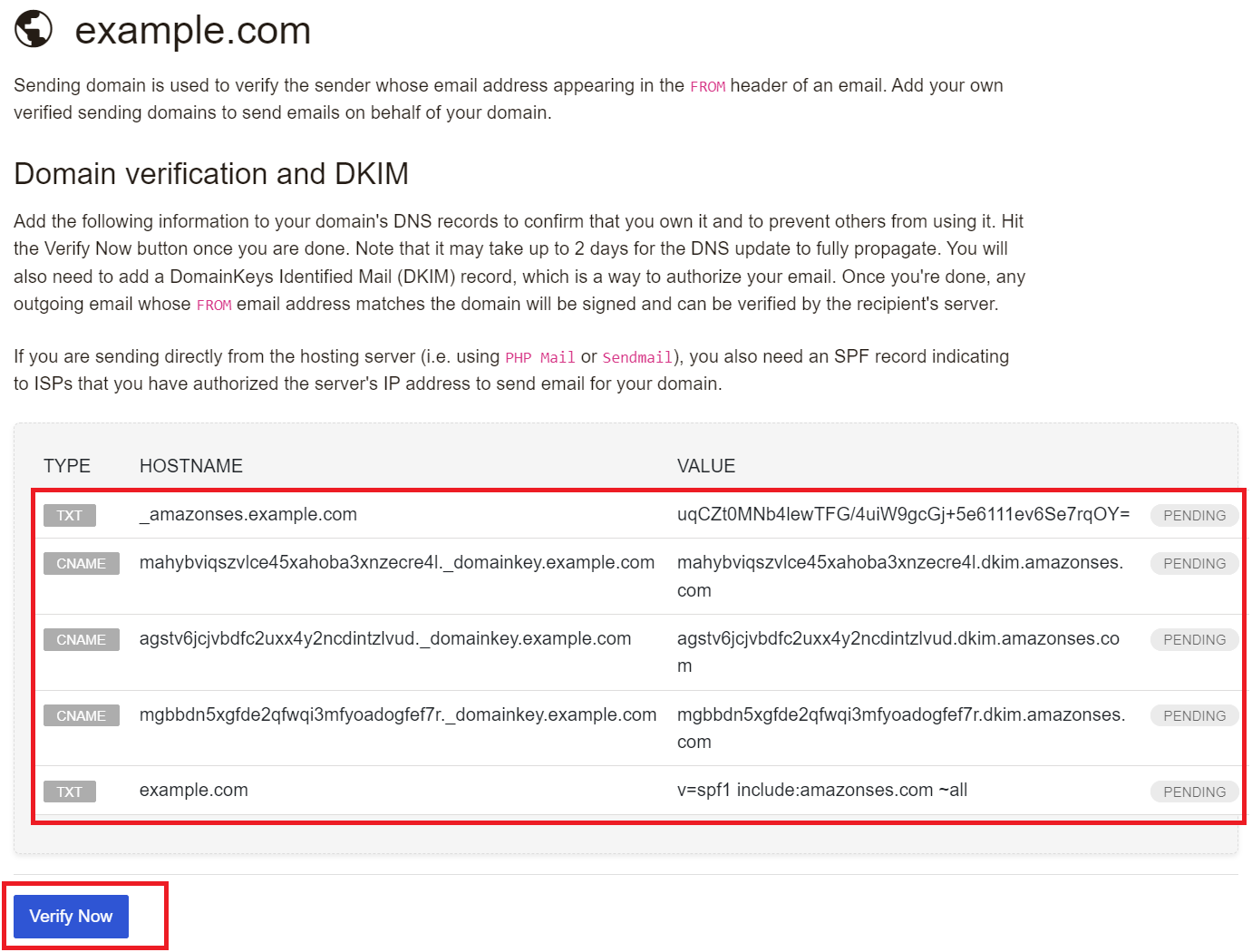
ForceMailer asks you to add are 2 TXT and 3 CNAME records. We will add two separate TXT records and 3 separate CNAME. These are required to send and receive email with ForceMailer.
7. Click Verify Now button.
Found this article helpful?
[ 34 Out of 69 Found Helpful ]